Fix a security finding on several machines.
Some findings have a fix BE AI can apply: Windows Firewall or Defender off, SMB1 on, Remote Desktop without network sign-in, Linux automatic updates off, SSH root or password sign-in, the Linux firewall off. Their group shows "Fix N machines". You see the machines first, untick any you want to leave, and approve once.
Press Fix N machines
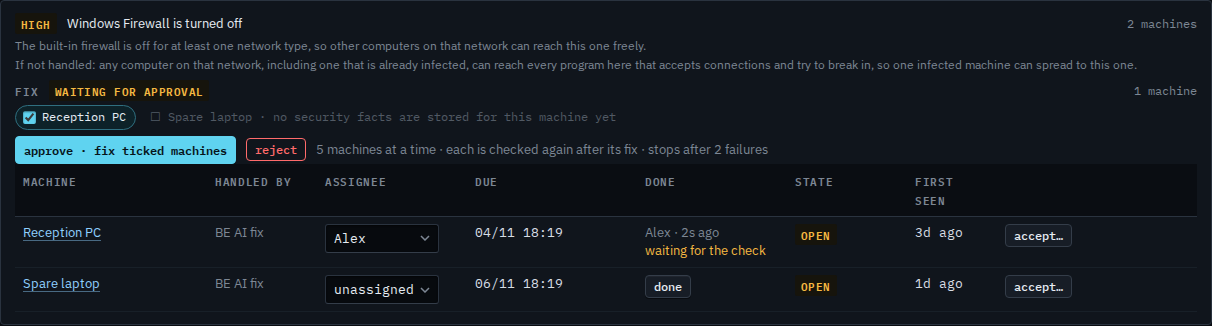
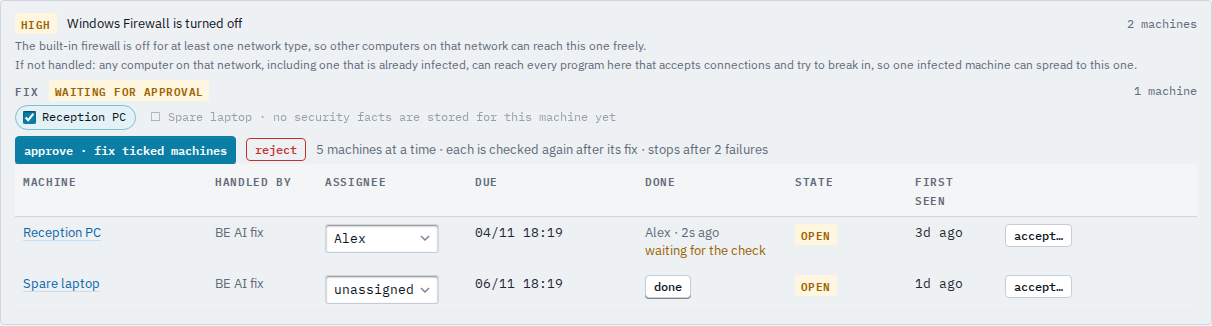
Open Security and find the finding. Press Fix N machines. Every machine that can take the fix is listed and ticked. A machine the hub will not fix is greyed, with the reason beside it. Untick any machine you want to leave as it is.
Approve, then confirm
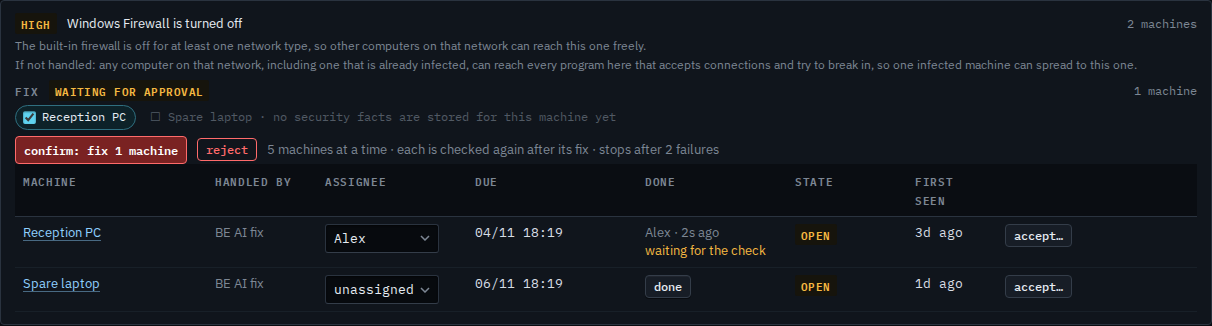
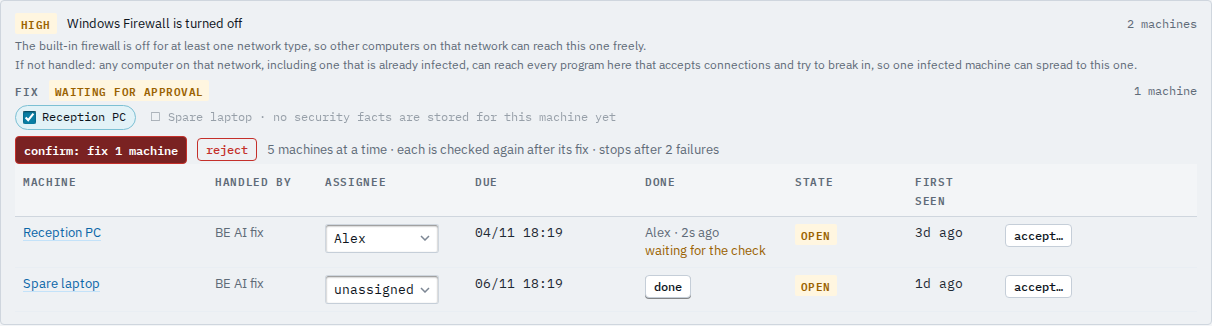
Press approve · fix ticked machines. The button asks confirm: fix 1 machine; press it again. Your name is recorded as the approver. reject drops the proposal and nothing changes.
Read the result per machine
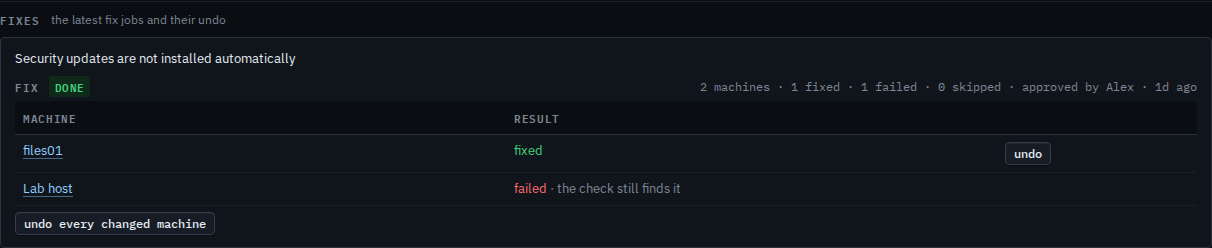
Each machine shows fixed, failed with the reason, skipped, or running while it is being done. A job that stopped after 2 failures shows resume and cancel. undo puts one machine back as it was; undo every changed machine does the whole job. A machine the fix changed but did not finish, or that the check still flags, can be undone too. A machine's own fix history is on its Security tab under Work.
Why a machine is not offered. Before it offers a fix the hub checks it is safe on that machine, and the machine checks again just before it changes anything. For example, SSH passwords are only turned off when an administrator can still sign in with a key, and the Linux firewall is only turned on when every port in use is allowed. A machine that fails that check is listed greyed with the reason and is left alone.
Undo. Every fix records how the machine was before. undo puts that back, on one machine or every fixed machine of the job. An undo is approved like a fix.
Customer logins see these buttons only when their access includes updates. Findings that need a person or a software update: Work through the security checklist.